Tap a word.
Drop a chord.
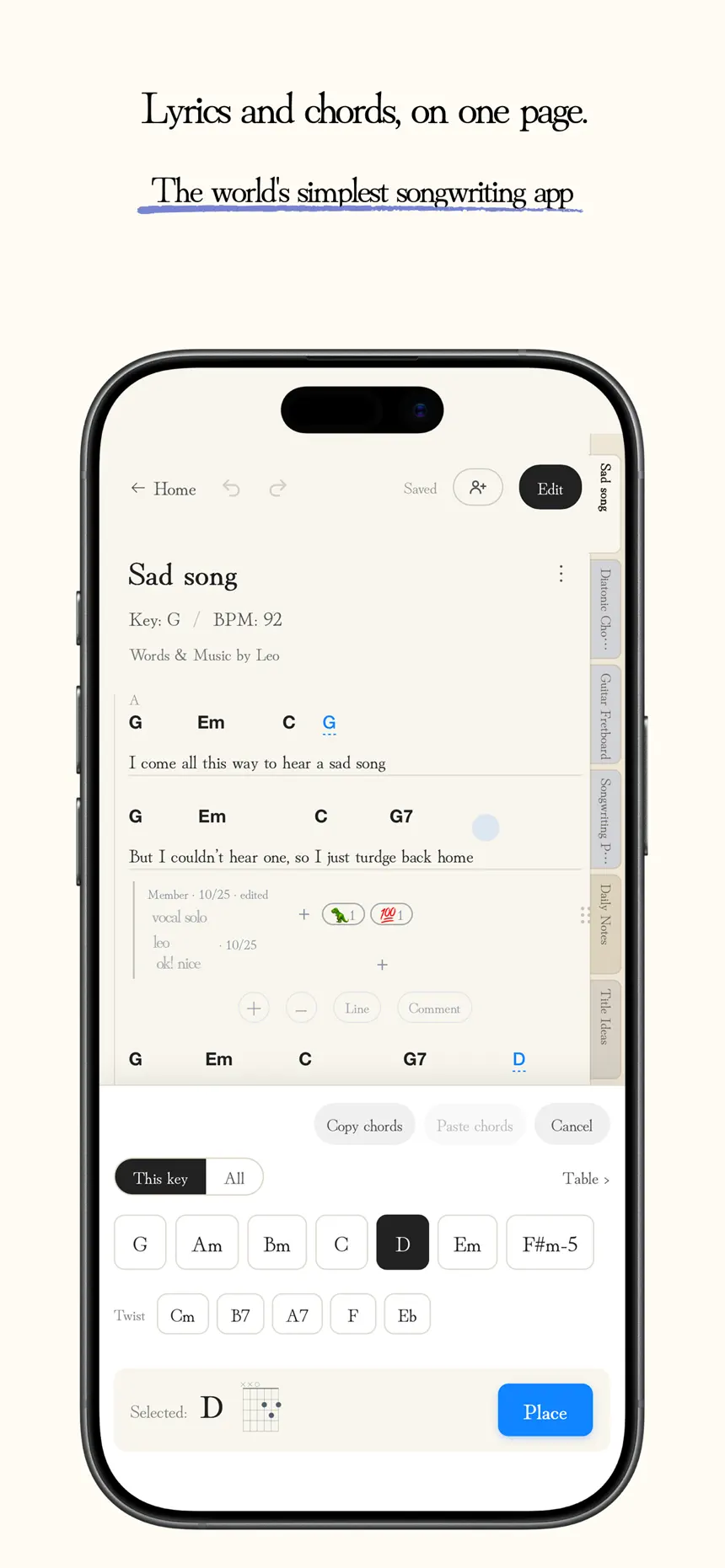
Place chords above any syllable. Rewrite the lyrics, and the chords stay right where they belong.
 SongNote
日本語
The world's simplest songwriting app,
shared with your whole band.

Place chords above any syllable. Rewrite the lyrics, and the chords stay right where they belong.
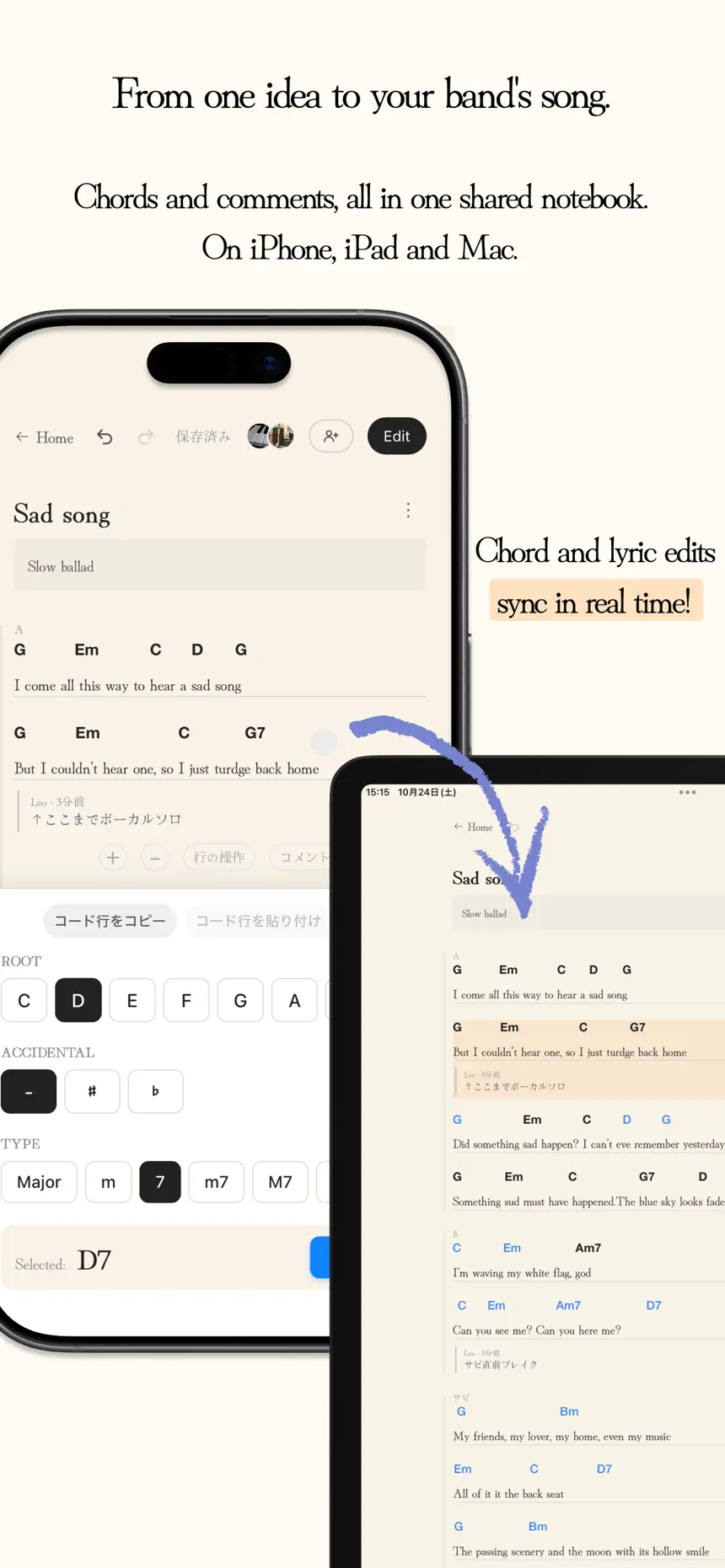
When anyone edits, everyone sees it in seconds. Leave comments like "break here" on any line. Bandmates without an iPhone can read along in a browser.
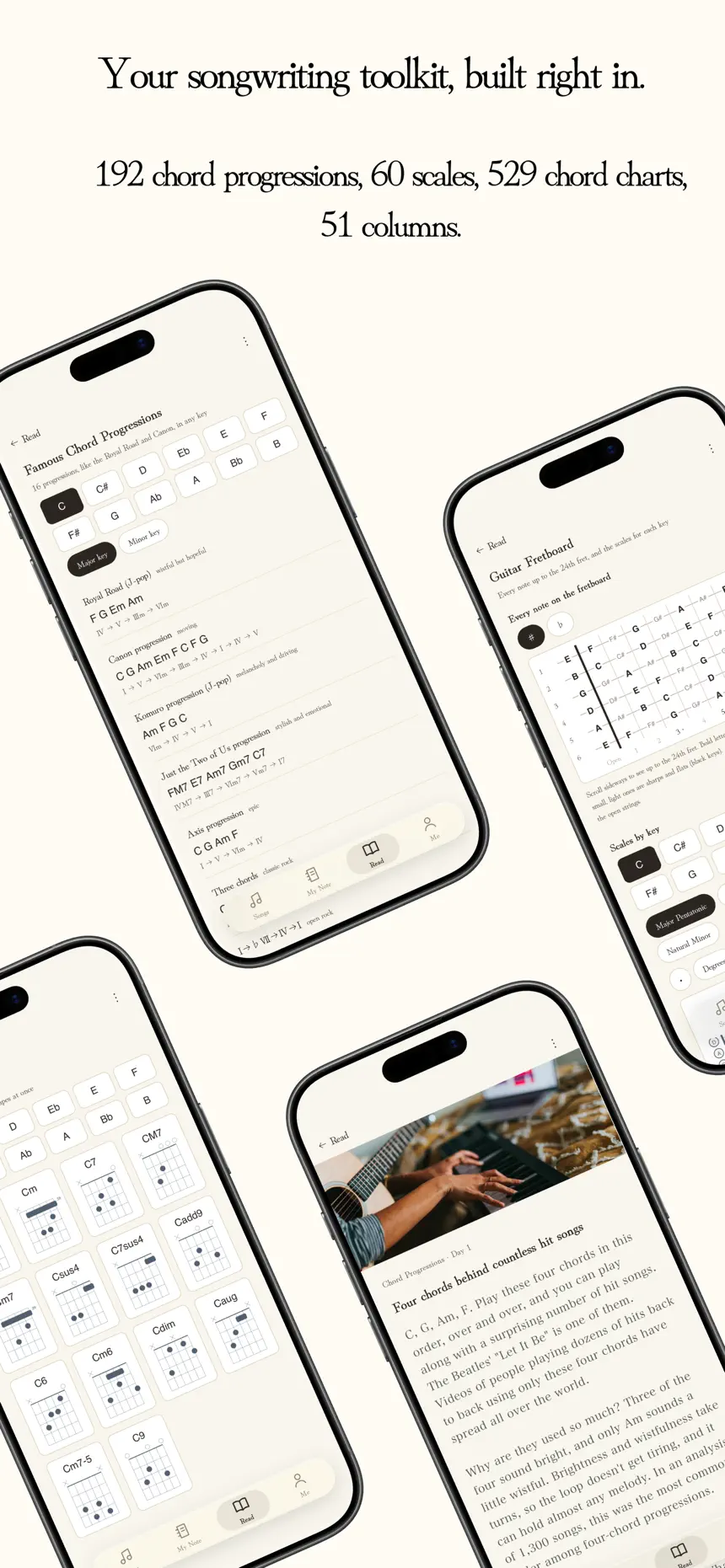
Ideas for when you hit a wall, built right into the app.
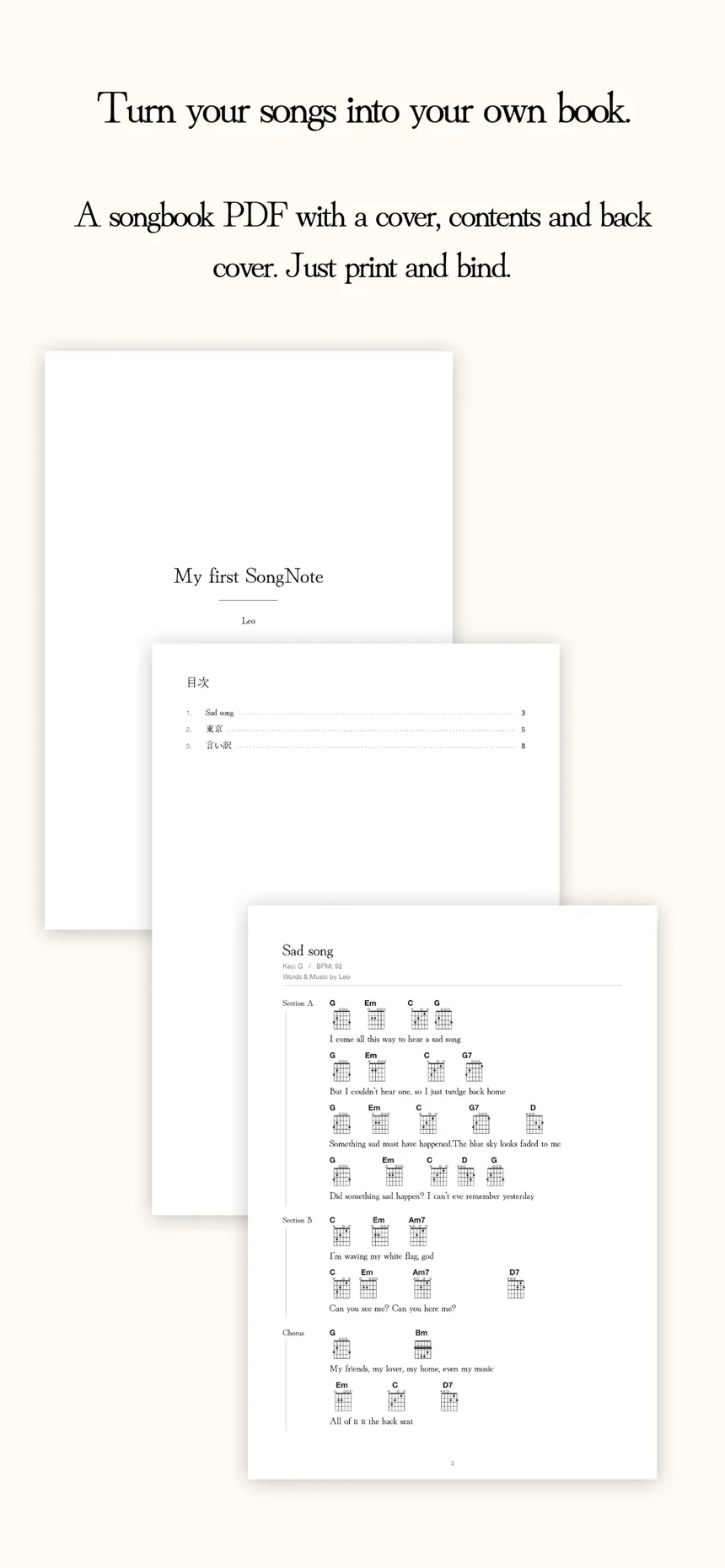
Pick your songs and get a songbook PDF with a cover and contents. Print it, bind it, and put it on the music stand.

In my band, lyrics and chords always arrived as photos of handwritten pages. You couldn't edit them, nobody knew which was the latest, and in a notes app the chords drifted out of place. So I made a notebook that does one thing well: lyrics and chords.
In an age when AI can make a song, I want to support music where people choose the words and play the notes.
— Studio.Okazaki
SongNote is a songwriting notebook where you write lyrics and place chords above any syllable. There is no sheet music and no MIDI, just lyrics and chords. You can share a song with your bandmates, edit it together, and talk it through with comments on each line.
Yes, SongNote is free to download and use. Writing lyrics and chords, sharing with your band, Performance mode, chord progression recipes, guitar scales, and Songbook PDF export are all included for free. If your band shares more than 7 songs, there is SongNote Pro, a monthly auto-renewable subscription. When one person in the band goes Pro, the band can share as many songs as they like.
SongNote works on iPhone, iPad, and Mac (Apple silicon, macOS 13 or later). With the same account, your songs sync through the cloud across all your devices. There is no Android app, but you can send a view-only link so bandmates on Android can read the lyrics and chords in a web browser.
Yes. Chords are anchored to individual characters in the lyrics, so they stay in place when you rewrite a line or view the song on a different screen size.
Invite bandmates to a song by username, QR code, or invite link. When anyone changes a lyric or a chord, it shows up on everyone's screen within seconds. You can leave comments on any line, @mention bandmates, and react with emoji. You can keep writing with a weak signal in the studio, and changes sync when you are back online.
No. SongNote focuses on writing lyrics and chords.
Yes. Pick your songs and make an A4 songbook PDF with a cover and contents, with chord diagrams if you like. You can also export in ChordPro format to move songs to other chord chart apps that support ChordPro.
English and Japanese.